PrettiOps
A full-stack developer toolkit that turns email into a secure, syntax-aware communication surface — from browser extension to SaaS backend.
Language support
30+ languages
Syntax highlighting via Prism.js with 6+ editor themes across all email clients.
Platform reach
3 email clients
Gmail (Chrome extension), Outlook (Office.js add-in), and Apple Mail compatibility.
Security depth
AES-256 vault
Tokens encrypted at rest with Libsodium, controlled reveal policies, and secret scanning.
SaaS tiers
4 plans
Free, Pro, Team, and Enterprise with feature gating, usage limits, and Stripe billing.
The Problem
What this project had to solve
Developers share sensitive material through email every day — API keys, code fragments, credentials, config files — but email clients offer zero formatting, zero encryption, and zero expiration control. PrettiOps turns that blind spot into a product.
PrettiOps started from an observation: developers constantly share code, tokens, and files through email, yet email clients treat everything as plain text. The product reframes email as a first-class developer surface with syntax-highlighted snippets, encrypted token sharing, and secure file delivery.
The system spans two codebases: a Symfony 6 backend with PostgreSQL, Stripe billing, Libsodium encryption, and a tiered SaaS subscription model, and a TypeScript monorepo powering a Chrome extension and Outlook add-in built on React 18, CodeMirror 6, and Zustand. The extension injects directly into Gmail's compose window, turning the email editor into a developer-grade authoring tool.
What makes the project distinctive is the depth of the security posture — tokens are AES-256 encrypted at rest, secrets are scanned before send, files expire with download limits — combined with a clean product experience that works inside the constraints of email rendering across Gmail, Outlook, and Apple Mail.
What changed
Instead of pasting raw code into emails and hoping the formatting survives, developers get a proper authoring surface: pick a theme, choose a language, insert a snippet that renders identically across every email client — with secrets masked and files that expire.
Why it was hard
The hard part was bridging two very different runtime environments — a Symfony backend handling encryption, billing, and file storage, and a browser extension injecting UI into Gmail's DOM — while keeping the product experience seamless and the security posture real, not cosmetic.
Constraints
- Email HTML rendering is inconsistent across Gmail, Outlook, and Apple Mail — table-based layouts were required for reliable snippet display.
- Browser extensions run in a sandboxed environment with strict CSP, storage, and messaging constraints.
- Token encryption had to be airtight at rest (Libsodium AES-256) while still supporting controlled reveal flows with expiry and limits.
My role
- Designed and built the full product architecture across backend (Symfony/PHP) and extension (TypeScript/React) codebases.
- Implemented the SaaS subscription model with Stripe checkout, webhook lifecycle, and plan-based feature gating.
- Built the encryption layer for token vault and secure file sharing with expiry, download limits, and revocation.
- Engineered the Chrome extension with Gmail compose injection, CodeMirror editor, and cross-platform bridge for Outlook.
Proof
What the product actually looks like
Real screens from the product — each one supports a specific argument about clarity, control, or observability.
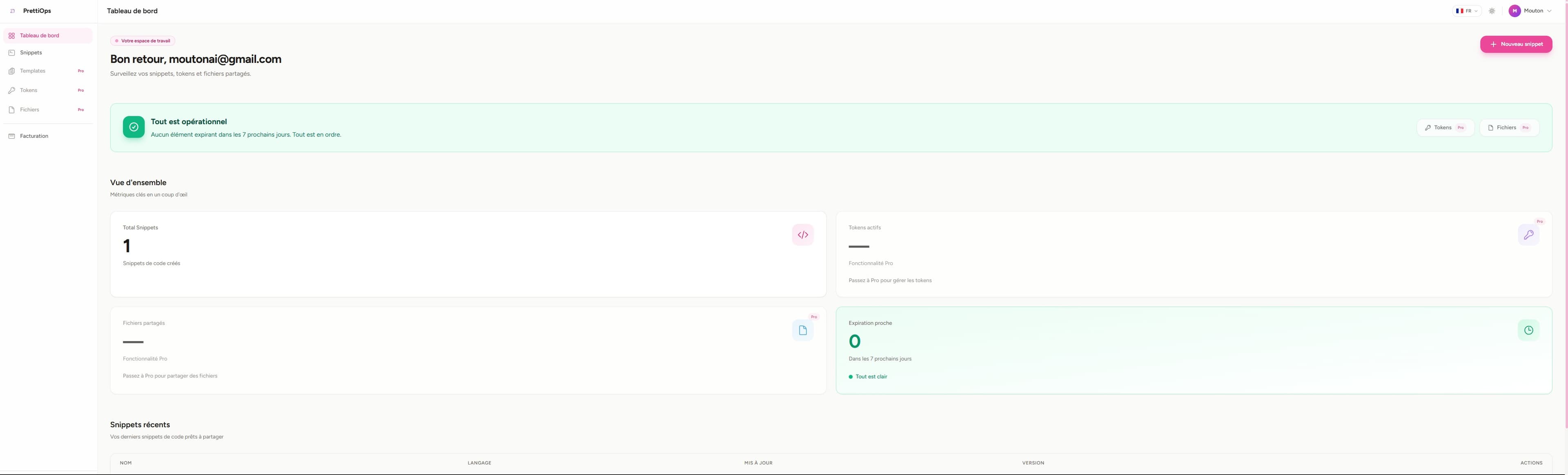
 Command SurfaceClick to view full size
Web Dashboard
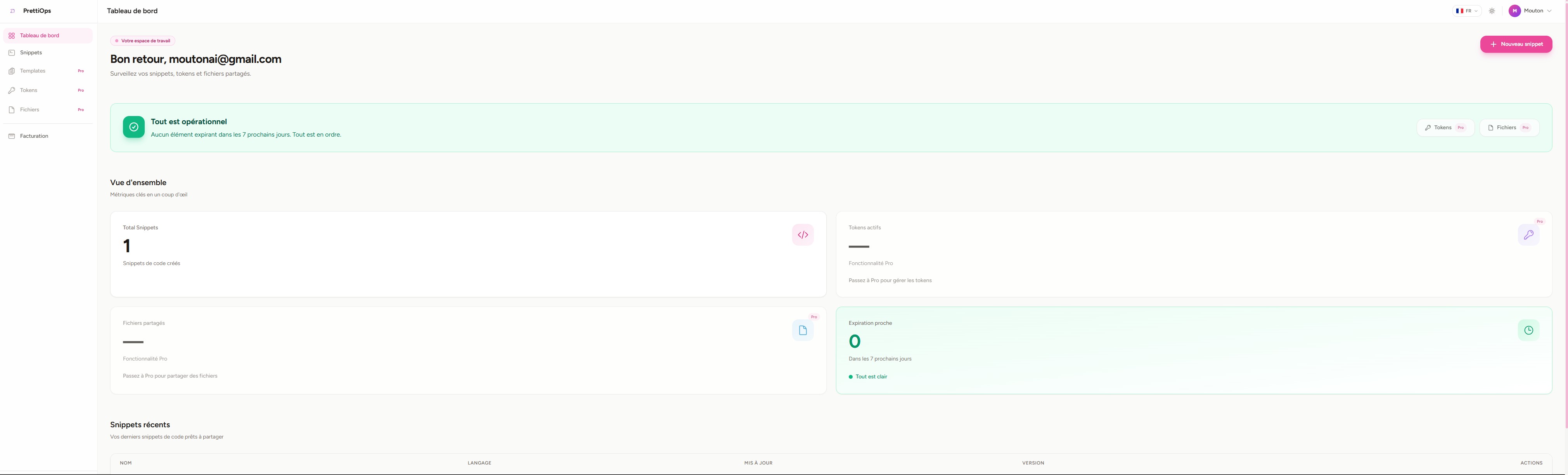
The authenticated dashboard shows snippet count, token and file vault status, upcoming expirations, and recent activity at a glance.
KPI cards surface operational health — total snippets, vault locks, and expiring items — so users know their workspace state immediately.
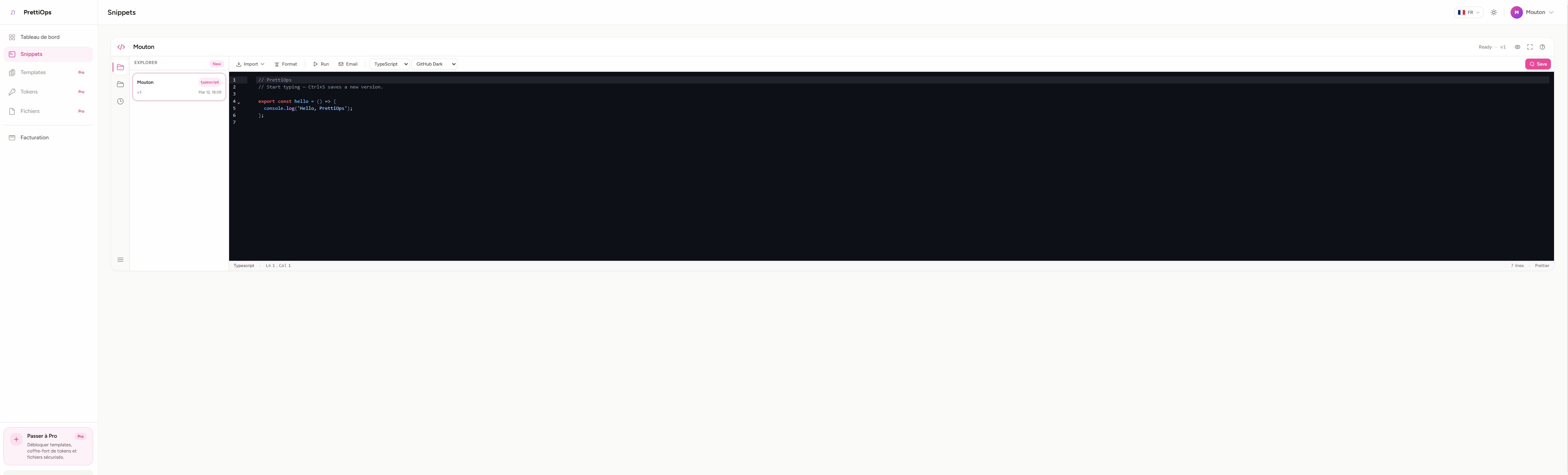 Authoring ToolClick to view full size
Snippet Editor
A full CodeMirror 6 editor with language detection, theme selection, file browser, and email-safe rendering built into the web app.
The editor supports 30+ languages and 6+ themes. Every snippet is version-tracked with Ctrl+S saving a new version.
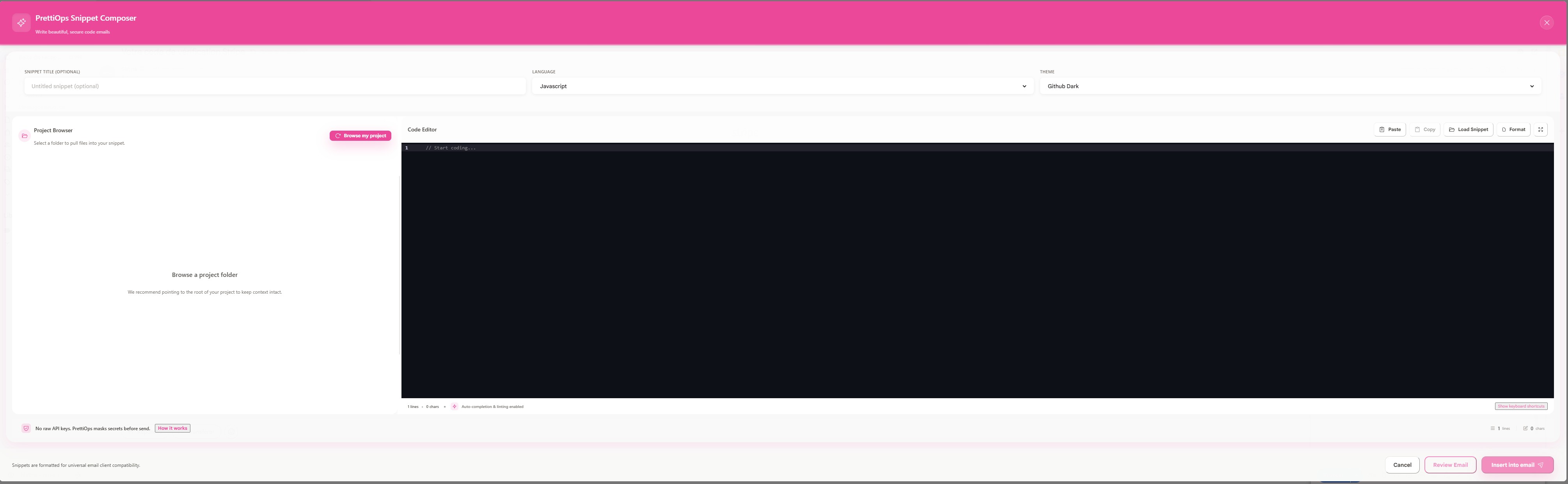 Extension SurfaceClick to view full size
Gmail Compose Integration
The snippet composer dialog opens directly inside Gmail, letting developers write, preview, and insert syntax-highlighted code into emails.
The dialog includes a project file browser, code editor, secret scanner, and email preview — all inside the extension popup.
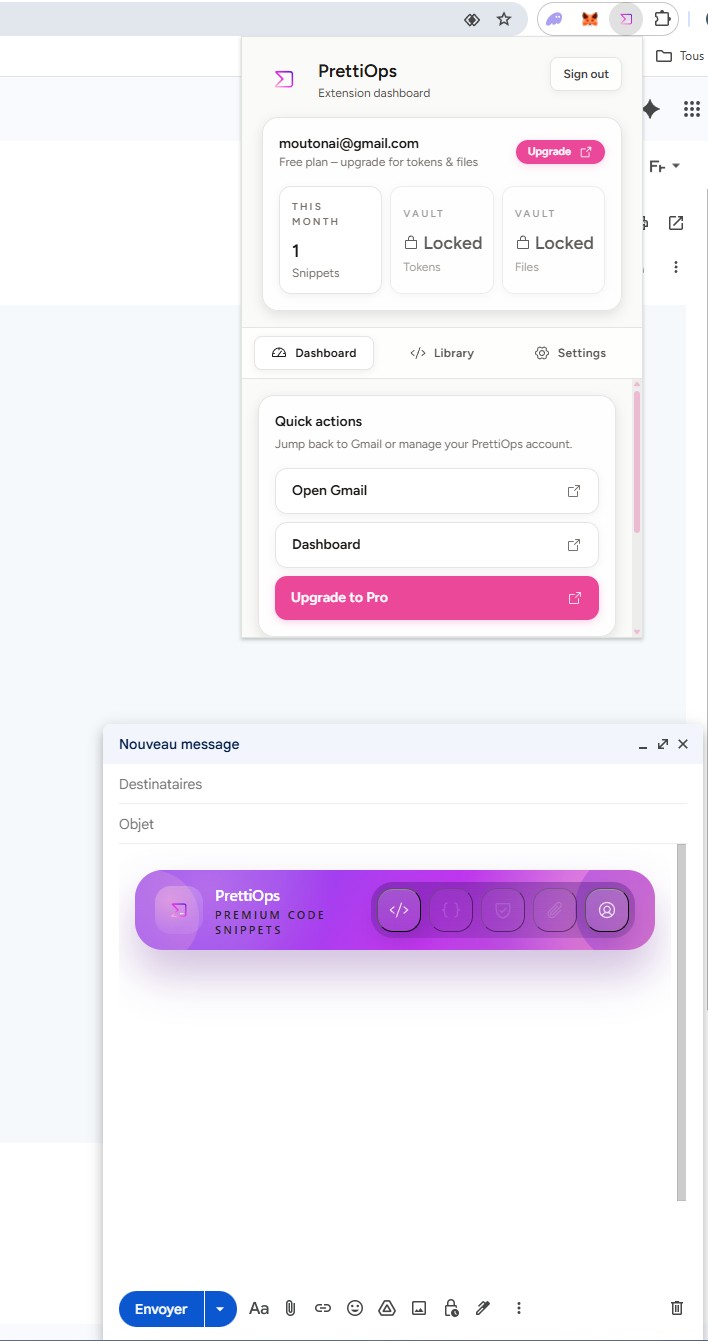 Extension HubClick to view full size
Extension Dashboard
The Chrome extension popup provides account status, quick actions, and direct access to the snippet toolbar injected into Gmail's compose window.
The injected toolbar sits inside Gmail's compose UI, making snippet insertion feel native rather than bolted on.
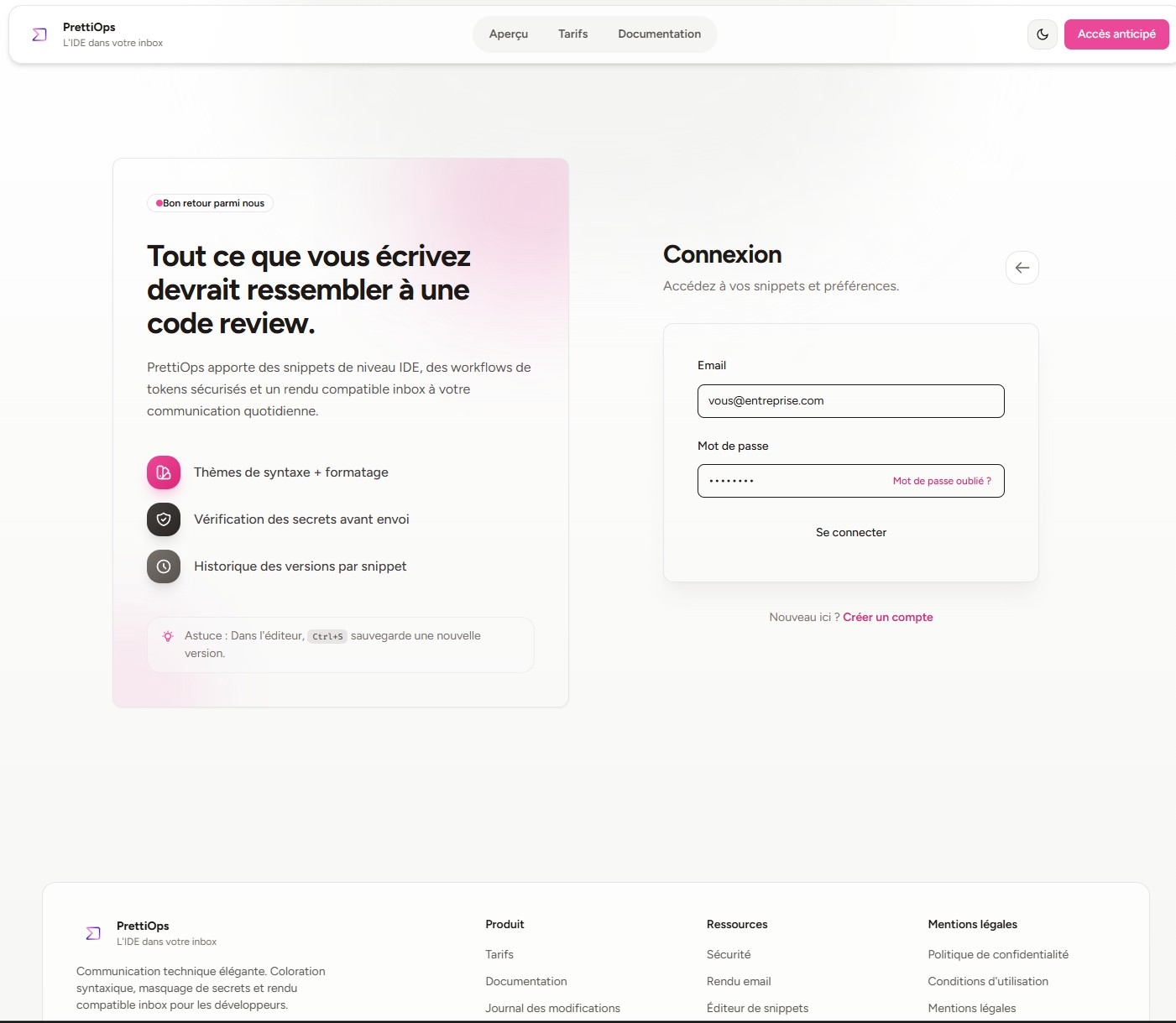 OnboardingClick to view full size
Authentication Flow
A clean login surface with feature highlights and support for email/password and Google OAuth — shared across web and extension.
The login flow works identically from the web app and the extension popup via a secure state-based handoff protocol.
Decisions
Tradeoffs that shaped the product
The strongest work is visible in the choices made under pressure, not just in the final interface.
Clean architecture over rapid prototyping
Challenge
The extension and backend needed to evolve independently without breaking shared domain logic.
Decision
Domain, application, and infrastructure layers were separated in the TypeScript monorepo. The backend follows hexagonal patterns with thin controllers and service-layer business logic.
Tradeoff
Higher initial setup cost, but the architecture pays off every time a new platform (Outlook) or feature (file vault) is added.
Table-based email rendering over modern CSS
Challenge
Email clients strip most CSS — flexbox, grid, and even some padding rules are unreliable across Gmail, Outlook, and Apple Mail.
Decision
Snippets are rendered using Prism.js token-level parsing into table-based HTML, then CSS-inlined with juice for universal compatibility.
Tradeoff
The rendering pipeline is more complex, but every snippet looks identical across every email client.
Libsodium encryption over application-level hashing
Challenge
Stored tokens must be recoverable (for controlled reveal) but never exposed in plaintext at rest.
Decision
AES-256-GCM via Libsodium secretbox with per-token nonces. Reveal policies enforce expiry and max-reveal counts.
Tradeoff
Requires the sodium PHP extension and careful key management, but the security guarantee is real — not a token hash that pretends to be encryption.
Architecture
How data flows through the system
Authenticate
Users log in via email/password or Google OAuth. Extension auth uses a state-based callback with short-lived cache tokens.
→ Seamless login across web app and browser extension without exposing credentials to the extension runtime.
Author
Snippets are written in CodeMirror 6 with language detection, theme selection, and optional file imports from the local filesystem.
→ Developer-grade editing inside both the web app and the Gmail compose window.
Secure
Tokens are encrypted with Libsodium before storage. Files get expiration dates, download limits, and optional passwords. Secrets are scanned before send.
→ Sensitive material is protected by default — not by user discipline.
Render
Prism.js tokenizes code, templates wrap it in table-based HTML, and juice inlines all CSS for cross-client email compatibility.
→ Snippets render identically in Gmail, Outlook, and Apple Mail.
Deliver
Snippets are inserted into the email composer. Tokens show masked values with controlled reveal links. Files are served through expiring, password-protected URLs.
→ The recipient sees a polished, secure communication — not a raw paste.
PrettiOps is split across two codebases: a Symfony 6 backend with Twig templates, Doctrine ORM, Libsodium encryption, and Stripe billing, and a TypeScript monorepo powering the Chrome extension and Outlook add-in with React 18 and shared domain logic. The web app uses Symfony UX (Stimulus + Turbo) with vanilla JavaScript for interactivity. The extension uses a bridge pattern to abstract Gmail and Outlook differences, while the backend follows hexagonal architecture with thin controllers and service-layer business logic.
Product surfaces
The interfaces that carry the experience
Snippet Dashboard
The main workspace surfaces total snippets, vault status, expiration warnings, and recent activity with quick actions for creating and managing content.
Code Editor & Snippet Manager
A full-featured code editor built on CodeMirror 6 with 30+ language modes, 6+ themes, version history, and a file browser for importing local project files.
Gmail Extension Composer
A snippet dialog that opens inside the Gmail compose window with language/theme selectors, a code editor, project browser, and secret scanner.
Extension Popup & Toolbar
The Chrome extension popup provides account status, quick navigation, and a branded toolbar injected into Gmail's compose window for one-click snippet access.
Authentication & Onboarding
A shared authentication flow supporting email/password and Google OAuth, with a state-based handoff protocol for seamless extension-to-web login.
Tech Stack
Built with
Framework
Data
UI
Infra
Languages
PHP 8.4TypeScriptJavaScriptTwig/HTMLSQLCSS/TailwindWhat this project proves